Key takeaways
- A comfortable laptop posture keeps the head level, the wrists straight and the elbows bent between 90 and 120 degrees, as OSHA's workstation guide describes.
- The top of the screen should sit at or below eye level, and the screen should be at least 20 inches (about 50 cm) away, according to OSHA.
- The American Academy of Ophthalmology notes that people blink only about 5 to 7 times a minute while using a screen.
- OSHA suggests a five-minute break from computer work every hour and looking at something far away to rest the eyes.
- Raising the laptop and adding a separate keyboard and mouse lets the screen go higher while the wrists stay straight.
On this page9
What is a healthy way for a student to sit at a laptop?
A healthy way to sit at a laptop is a neutral posture: the head level and facing forward, the elbows close to the body and bent between 90 and 120 degrees, and the hands, wrists and forearms straight and roughly parallel to the floor.
OSHA's computer workstation guide calls this "a comfortable working posture in which your joints are naturally aligned," and explains that working in a neutral position "reduces stress and strain on the muscles, tendons, and skeletal system." The same guide warns that "working in the same posture or sitting still for prolonged periods is not healthy," however good the posture is.
For a student, that usually means a proper chair at a desk, not the bed, the sofa or the floor.
How high and how far should the laptop screen be?
The laptop screen should sit directly in front of the student, with its top line at or below eye level and at least 20 inches (about 50 cm) away, according to OSHA's monitor guide. The American Academy of Ophthalmology suggests about 25 inches, roughly an arm's length, with the eyes gazing slightly downward.
| Setting | What the guides say | Source |
|---|---|---|
| Screen distance | At least 20 inches (about 50 cm) | OSHA |
| Screen distance | About 25 inches, an arm's length | AAO |
| Screen height | Top line at or below eye level | OSHA |
| Eye gaze | Slightly downward | AAO |
| Elbows | Bent 90 to 120 degrees | OSHA |
| Wrists | Straight, in line with forearms | OSHA |
A laptop makes these two targets hard to meet together: when the keyboard is at elbow height, the screen is low; when the screen is raised, the keyboard rises with it. OSHA's keyboard guide notes that "smaller keyboards, such as those found on laptops, may also contribute to stressful postures."
How do you set up a laptop for long study sessions?
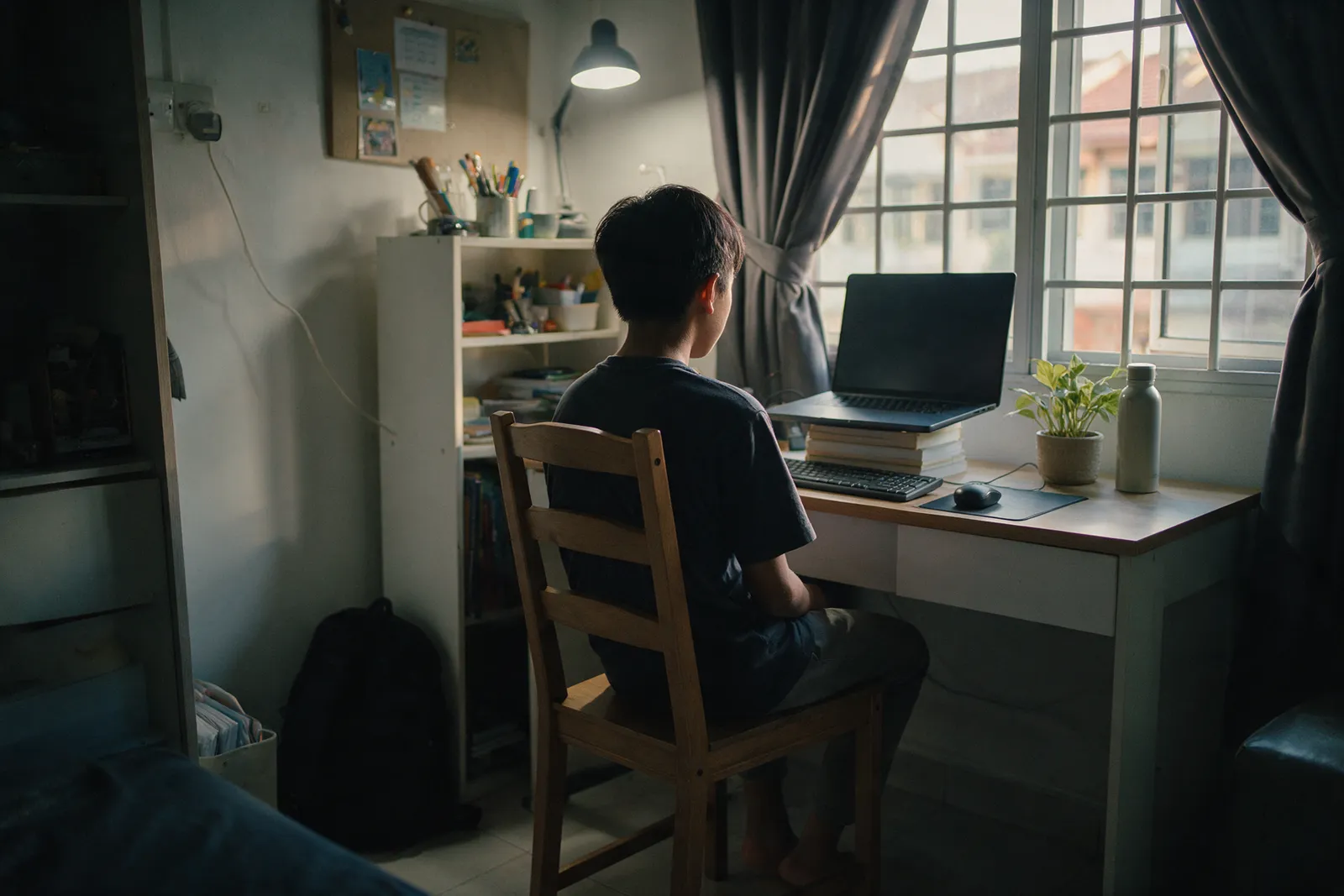
To set up a laptop for long study sessions, raise the laptop so the top of the screen is near eye level, then plug in a separate keyboard and mouse so the hands stay low and the wrists straight. A laptop stand or a firm stack of books works for the height, and the keyboard goes directly in front of the student.
- Choose a desk and a chair rather than a bed or sofa.
- Raise the laptop on a stand or books until the top of the screen is at or below eye level.
- Add a keyboard and mouse, placed directly in front, so the elbows stay close to the body.
- Check the distance: the screen at least 20 inches away, about an arm's length.
- Match the brightness: a screen much brighter than the room makes the eyes work harder.
Setting this up once, when the laptop is new, is easier than fixing habits later. Our guide to setting up a new laptop for school covers the accounts, updates and backups side of a first set-up.
Why do eyes get tired at a laptop, and how can students rest them?
Eyes get tired at a laptop partly because people blink less while looking at a screen, and partly because a screen brighter than the room makes them work harder. The American Academy of Ophthalmology notes that we blink only about 5 to 7 times a minute at a screen. Regular breaks, looking into the distance and deliberate blinking help.
The American Academy of Ophthalmology adds that if a screen "glows brighter than your surroundings, your eyes have to work harder to see," and that digital eye strain "affects people of all ages." Its advice is to make a habit of looking up from the screen at an object in the distance, and to make a conscious effort to blink.
OSHA's monitor guide gives a concrete version: rest the eyes "by focusing on objects that are farther away (for example, a clock on a wall 20 feet away)," and "stop, look away, and blink at regular intervals to moisten the eyes."
How often should students take a break?
Students should take a short break from the laptop at least once an hour. OSHA's keyboard guide suggests that "every hour, take a five-minute break from computer tasks," and its posture guide advises standing up and walking around for a few minutes periodically, because sitting still for long periods is not healthy.
Breaks fit naturally into homework: between subjects, after each past-year paper, or when a video lesson ends. A small change in the chair or backrest during a long session also helps, as the posture guide notes.
Where can I read more about laptops for school?
Our guide to keeping a laptop healthy in Malaysia's heat and humidity covers the laptop's side of this, and the guide for parents choosing a laptop for schoolwork covers what to look for before buying.
Where can parents and schools get help from Citzen?
Message Citzen's WhatsApp hotline, +60 12-565 2091; Citzen says WhatsApp is its main channel for everything. Schools can read about Citzen's programme for educators on the education page, and the support page sets out delivery, warranty and returns.
Frequently asked questions
How far should a student sit from a laptop screen?
The American Academy of Ophthalmology suggests sitting about 25 inches, roughly an arm's length, from a computer screen, with the eyes gazing slightly downward. OSHA's workstation guide says at least 20 inches.
How high should a laptop screen be?
OSHA's guide says the top line of the screen should be at or below eye level, with the monitor directly in front of you. With a laptop, raising it on a stand or a stack of books and using a separate keyboard makes this easier.
How often should a student take a break from the laptop?
OSHA's keyboard guide suggests a five-minute break from computer tasks every hour, and its monitor guide advises looking away at something far off, such as a clock about 20 feet away, and blinking at regular intervals.
Why do eyes feel tired after a long laptop session?
One reason is blinking less. The American Academy of Ophthalmology notes that people blink only about 5 to 7 times a minute while using computers and other digital screens, and that a screen glowing brighter than the room makes the eyes work harder.
Is a laptop keyboard bad for posture?
It can. OSHA's keyboard guide notes that smaller keyboards, such as those on laptops, may contribute to stressful postures. For long study sessions, a separate keyboard lets the screen sit higher while the wrists stay straight.
Where can I ask Citzen about a laptop for my child?
Message Citzen's WhatsApp hotline, +60 12-565 2091. Citzen says WhatsApp is its main channel for everything, and the education page explains its school programme.
Sources
- U.S. Occupational Safety and Health Administration, Computer Workstations eTool: Good Working Positions, Monitors and Keyboards.
- American Academy of Ophthalmology, Computers, Digital Devices, and Eye Strain (published 27 June 2024).
- Citzen, Schools and educators and Support and warranty.